
Automated Podcast Distribution
Hit publish once, and Libsyn handles your podcast distribution—delivering your episode directly to Spotify, Apple Podcasts, YouTube Music, Amazon Music, and every major global listening directory. Stop wasting production time on manual uploads and separate platform logins.
Reach Listeners on Every Major Podcast Directory
Listeners rarely switch apps to hear a specific show. An Apple Podcasts user will not download Spotify just for you. To grow an audience, your podcast distribution strategy must make your show instantly accessible on the platform your listeners already use.







Native Video Podcast Hosting for Spotify
Standard podcast distribution relies on audio feeds, but video podcasting introduces technical hurdles. Most hosting platforms were built strictly for audio and lack the infrastructure to deliver heavy video files to major listening platforms.
Because of this limitation, many creators who record video are forced into a frustrating dual workflow: they publish their audio files through their podcast host to reach Apple, but must manually upload their video files directly to secondary platforms.
Libsyn bypasses this limitation. As one of the first podcast hosting platforms to support native video distribution directly to Spotify, Libsyn allows you to upload your video file directly inside your hosting dashboard. Your video episode then streams natively within the Spotify app. For creators building a video-first podcast, this direct pipe to Spotify represents a distinct competitive edge, positioning your show ahead of competitors who are limited to static audio.
How Podcast Distribution Works
Podcast distribution is based on your RSS feed—a standardized file that tells listening apps exactly what your podcast is, what the episode titles are, and where your media files live.
If you are wondering how to set up a podcast RSS feed for distribution, Libsyn automates the entire process:
Upload the File
You upload your audio or video file, write your show notes, and enter your episode details into your Libsyn dashboard.
Update the Feed
Libsyn automatically translates your details into code and updates your unique podcast RSS feed.
Trigger the Directories
Apps like Apple and Spotify constantly monitor this feed. When you hit publish, they detect the change and pull in your new episode automatically.
Libsyn structures and maintains your RSS feed according to exact industry standards, ensuring seamless compatibility across all global networks.
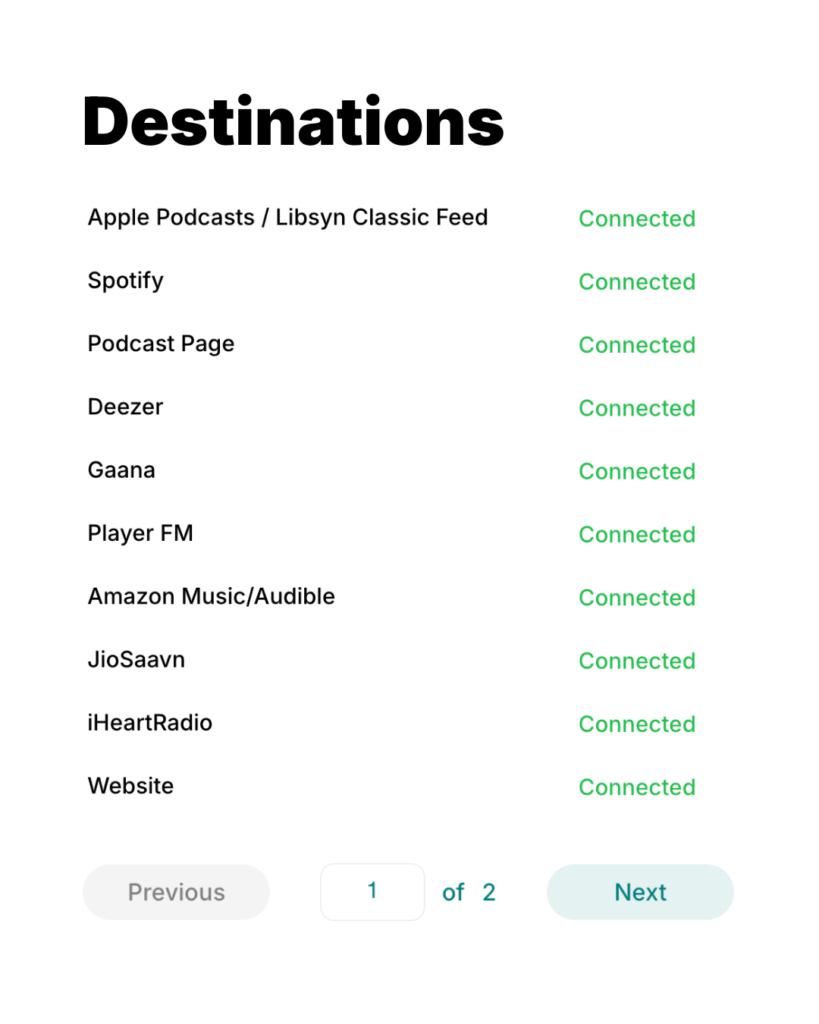
Manage Destinations From One Publishing Dashboard
You shouldn’t have to use code or manually edit your RSS feed to distribute your podcast’s episodes.
Libsyn provides a central destination dashboard to manage your podcast content distribution and control your platform connections. From this single interface, you can add new distribution destinations as emerging apps enter the market, connect your social media accounts for automated sharing, or update your directory details at any time. Libsyn handles all the necessary technical updates behind the scenes without breaking your feed.
Frequently Asked Questions
How do podcasts get distributed?
Your podcast distribution service generates a structured RSS feed containing your media files, show descriptions, and episode metadata. Listening apps subscribe to this feed and pull in new episodes automatically whenever you publish.
What is the best distributor for podcasts?
The best podcast distribution platform pushes your show to every major application reliably without manual effort. Libsyn reaches over 20 global directories and includes direct video distribution to Spotify, a capability most hosting platforms cannot offer.
Can I switch to Libsyn without losing my existing listeners?
Yes. Migrating your show to Libsyn requires zero downtime. By placing a 301 redirect on your old host feed, your existing subscribers transition to your Libsyn feed automatically without losing a single listener.
Does Libsyn distribute to YouTube?
Yes. Libsyn provides integrated destination publishing options that allow you to publish episode content directly to YouTube channels
How to set up a podcast RSS feed for distribution?
Setting up an RSS feed manually requires writing XML code, but a professional hosting platform automates this. When you create your show and upload your first audio file into Libsyn, the platform instantly generates a compliant RSS feed for you. From there, you simply use your Libsyn dashboard to submit that feed directly to Apple Podcasts, Spotify, and other directories.