Restoring an Archived Apple Podcasts Listing

If your listing was originally submitted to Apple Podcasts by Libsyn

If your listing was originally submitted to Apple Podcasts by Libsyn, please reach out to support@libsyn.com to restore your listing after your show has been reactivated within your Libsyn account.

If your listing was originally submitted to Apple Podcasts with your own Apple ID

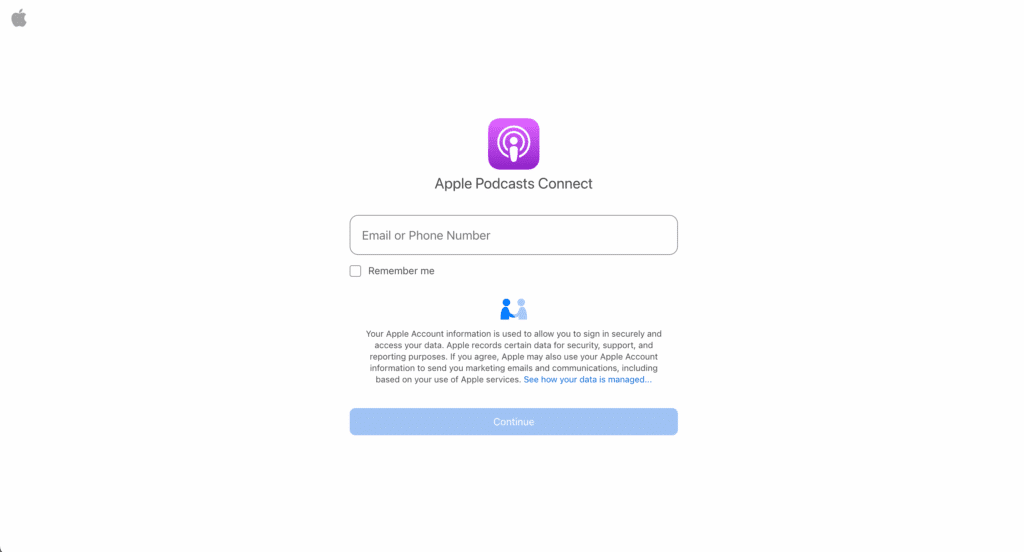
1. Log in to your Apple Podcasts Connect account.

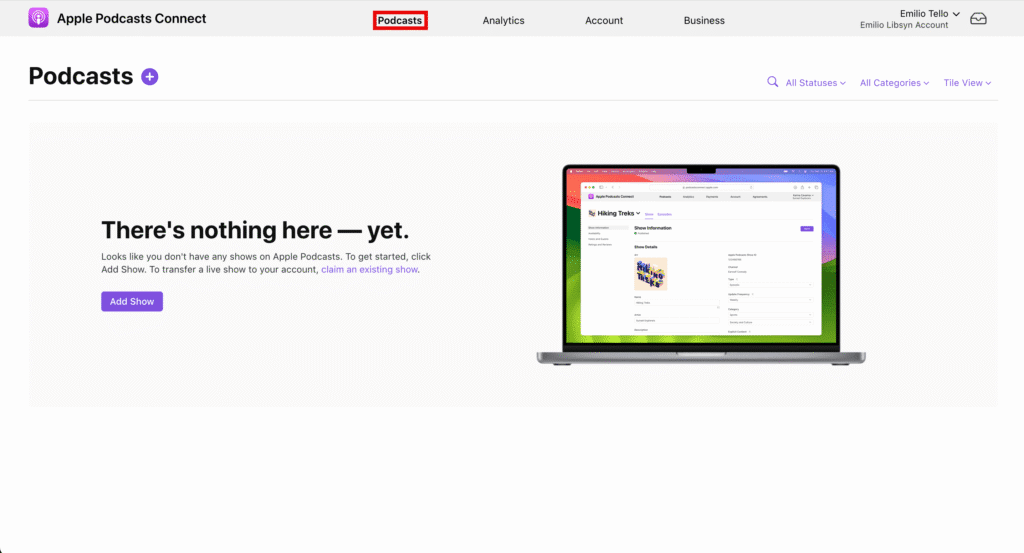
2. Click Podcasts at the top of your account.

If your show is displayed with the ✅ Published icon, no further action is required. If not, please continue

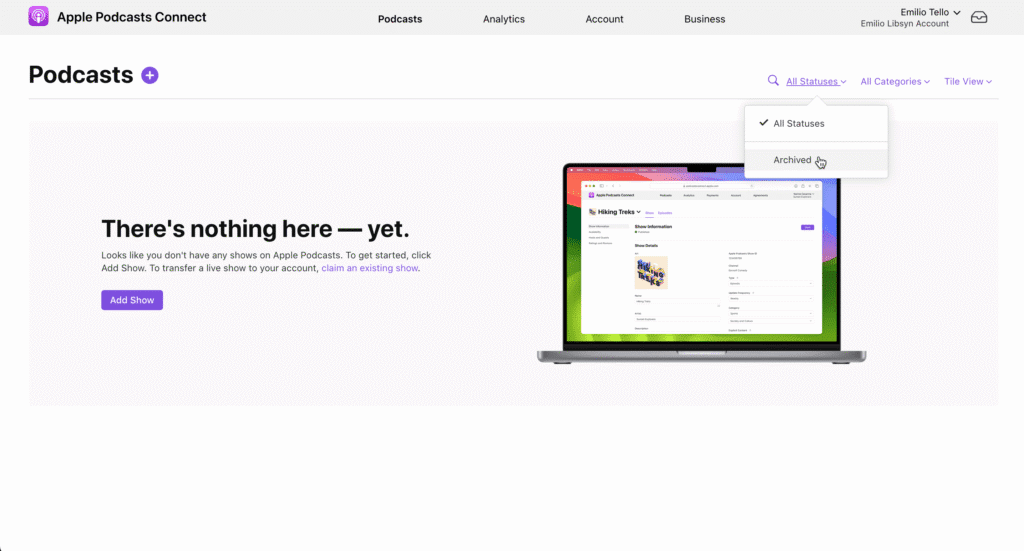
3. Click the All Statuses dropdown and choose Archived

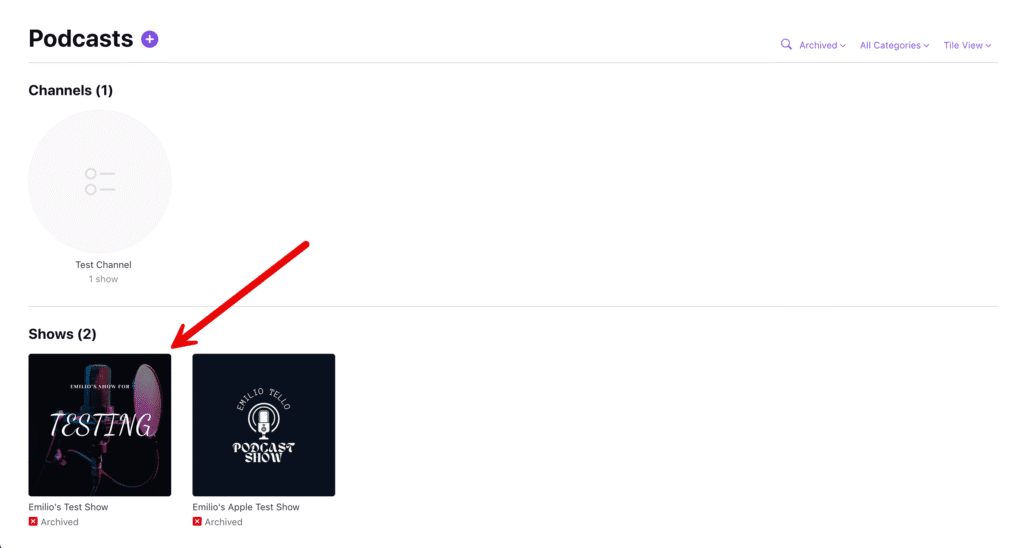
4. Select the show you want to restore.

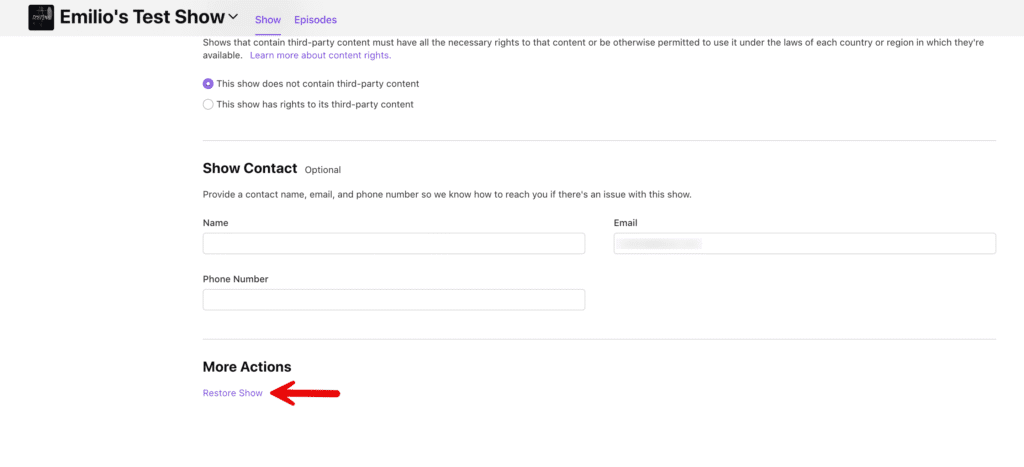
5. Scroll to the bottom of the page and under More Actions, click Restore Show.

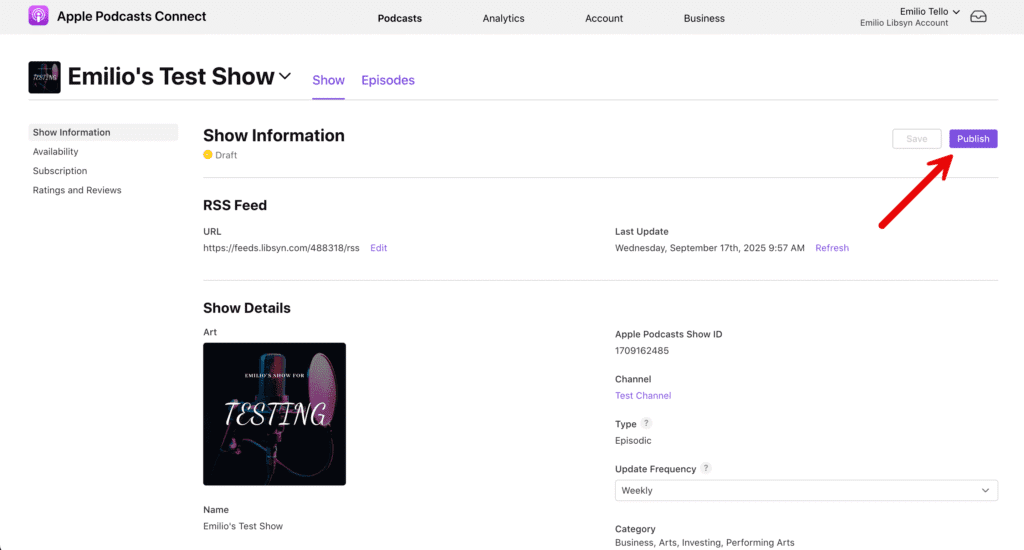
6. Scroll to the top of the page and click Publish.

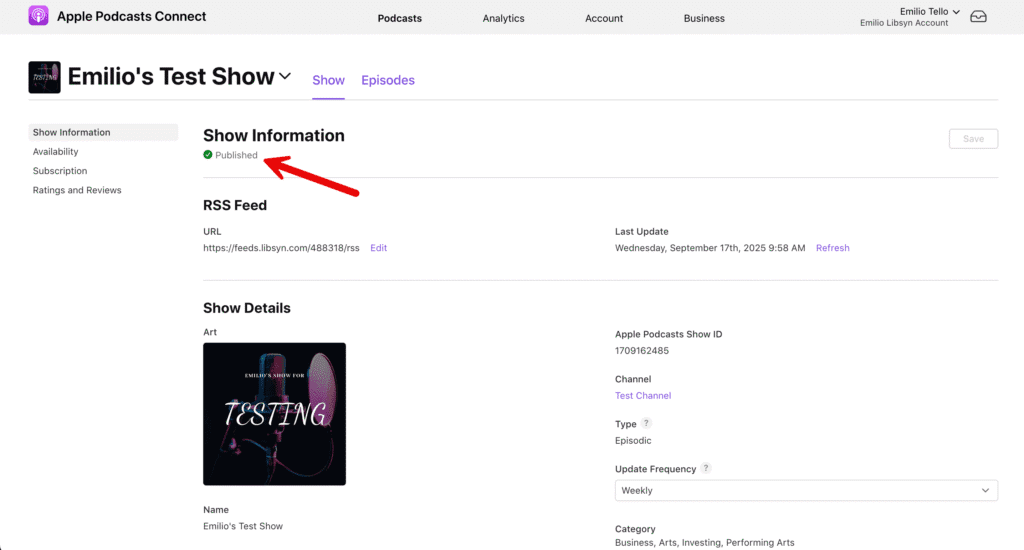
7. Your Show Information should now display Published, to indicate the listing has been restored.
You May Also Like

Apple’s New Video Podcast Experience Is Here – And It’s a Big Moment for Creators

Podcasting just leveled up. Apple’s new HLS-powered video experience lets audiences seamlessly switch between listening and watching within a single episode—no friction, no extra steps. It’s more than a feature; it’s a glimpse into the future of multi-format storytelling. As a launch partner, Libsyn is helping creators tap into this shift, unlocking new ways to reach audiences, expand their brand, and grow on their own terms.

Read More »
Scroll to Top